Frequently Asked Questions
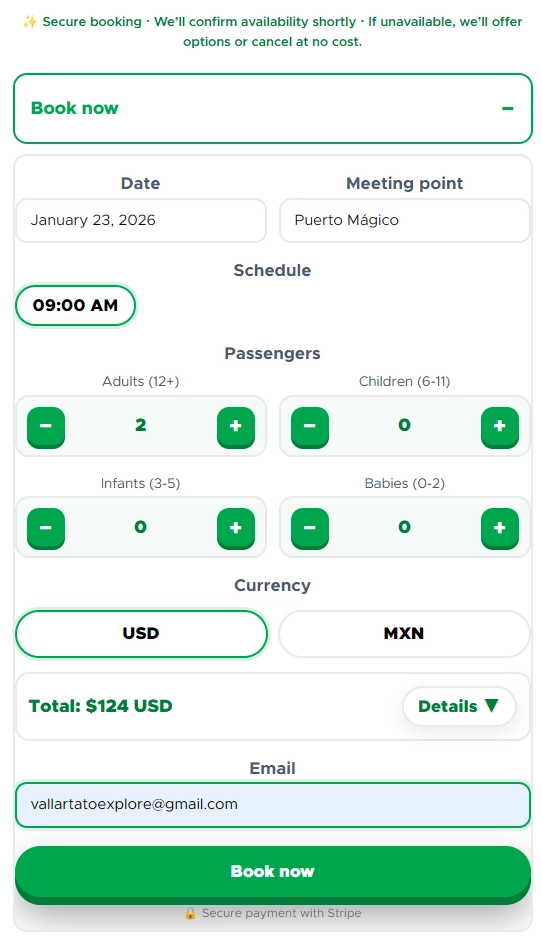
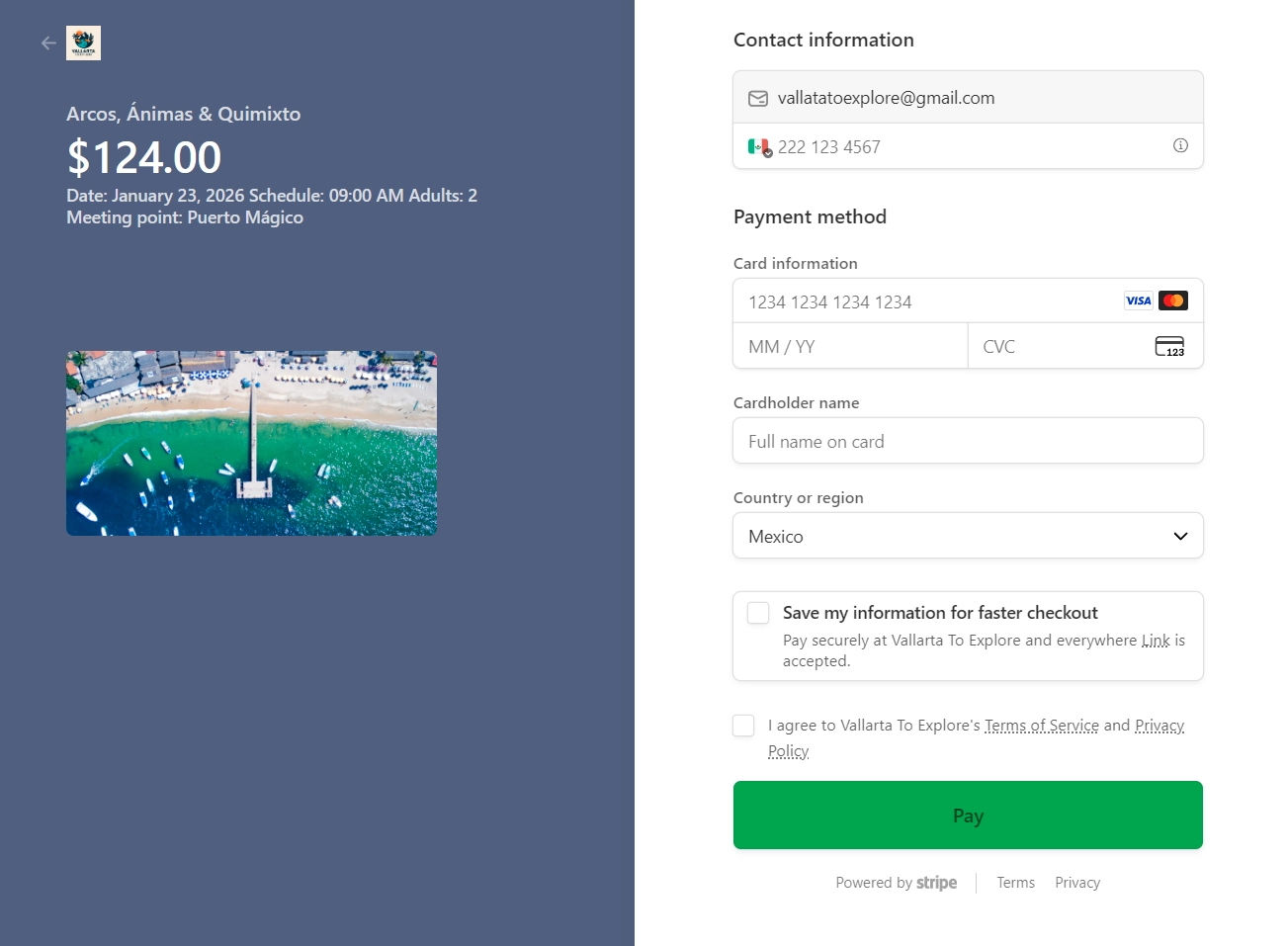
✅ What happens right after I pay?
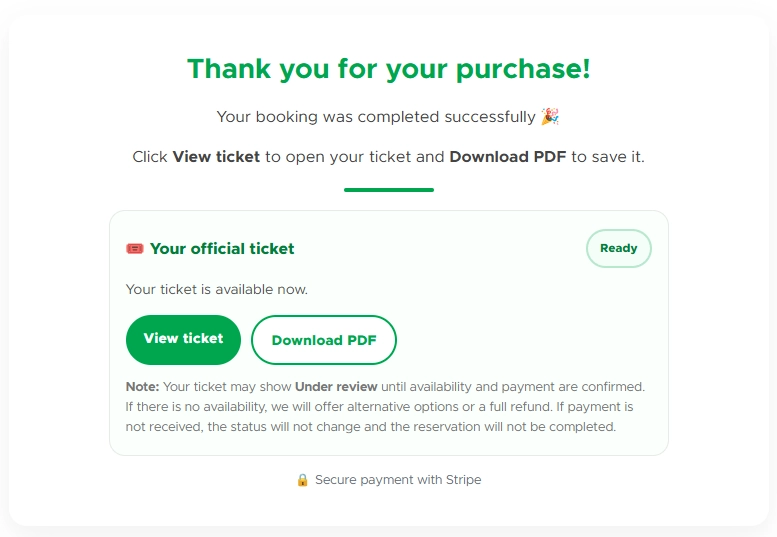
Right after completing your payment, you’ll be automatically redirected to our
official Vallarta To Explore confirmation page 🎉
There you can:
• View your purchase confirmation
•
Download your virtual ticket
• Check FAQs
• Learn how your digital ticket works
Here’s what the confirmation page looks like:
🎟️ Where can I view or download my ticket?
Inside the confirmation page, click
“View or download official ticket” ✅
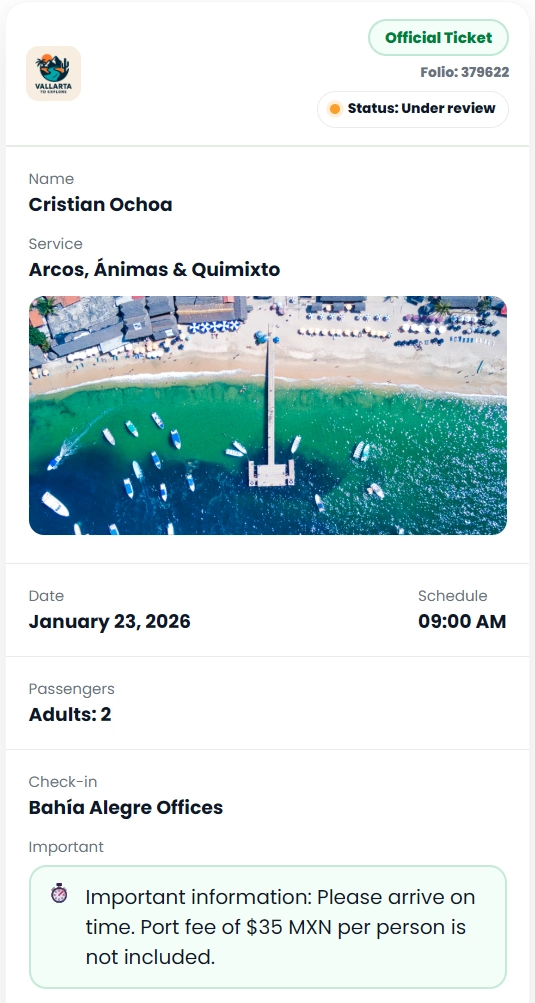
Your ticket is generated automatically with your booking details and your personal
reference number.
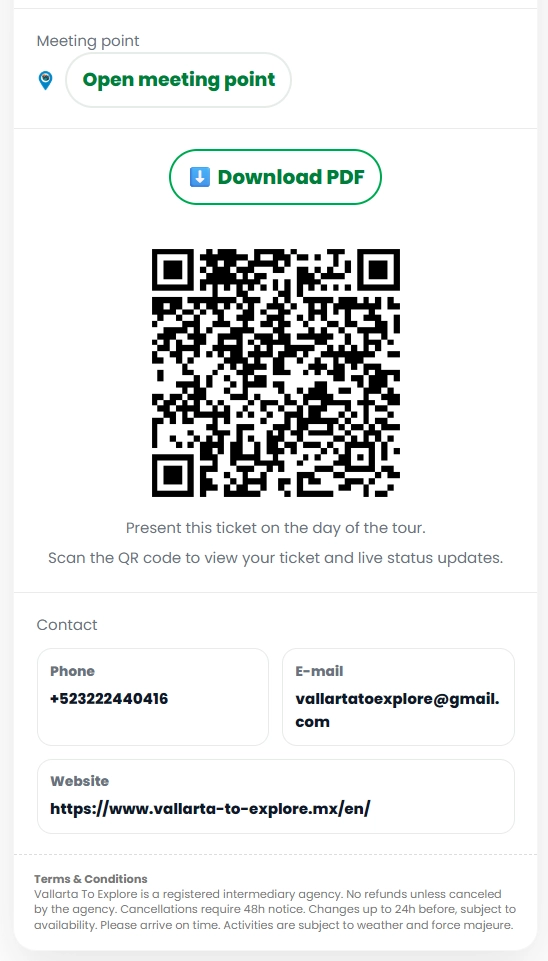
Example:
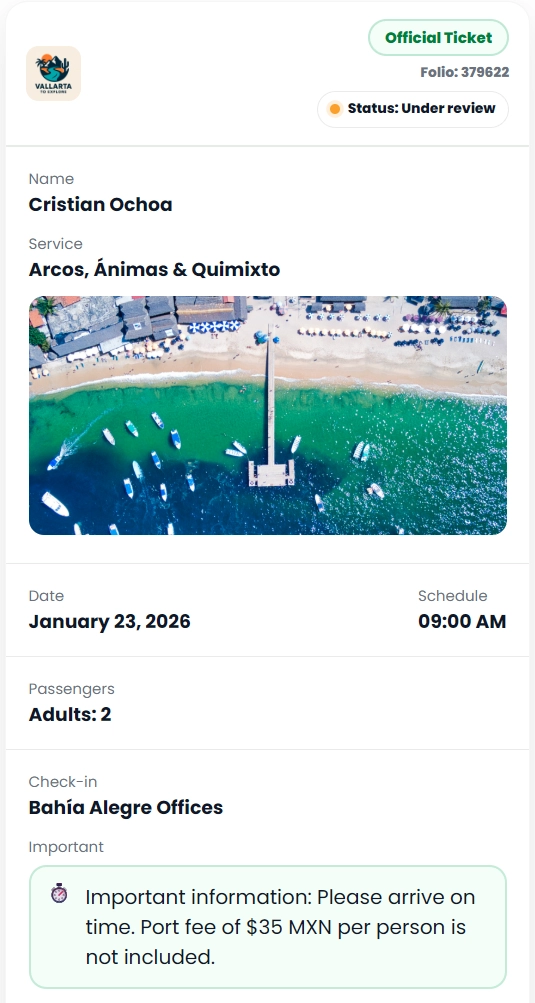
🟡 My ticket says “IN REVIEW”. Is that normal?
Yes ✅ That’s completely normal.
Your ticket will first show as
IN REVIEW while our team quickly validates:
• Your booking information
• Schedule/time
• Availability
This is what “IN REVIEW” looks like:
⏳ How long does it take for my ticket to be confirmed?
The estimated time is 0 to 24 hours (usually much sooner) 💚
If your tour is today or very soon, your request is processed with priority.
✅ How do I update my ticket once it’s CONFIRMED?
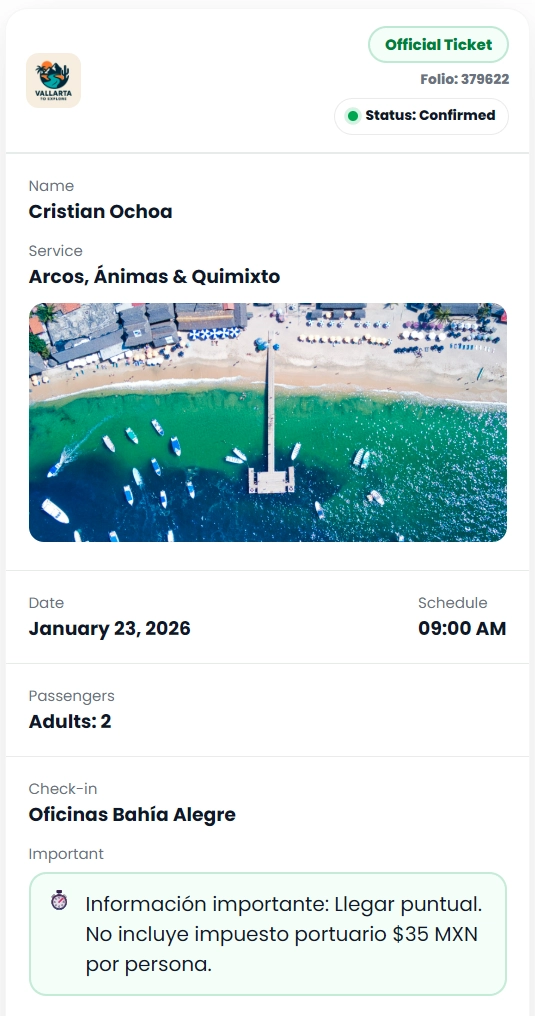
Once we approve your request, your ticket will be updated to
CONFIRMED ✅
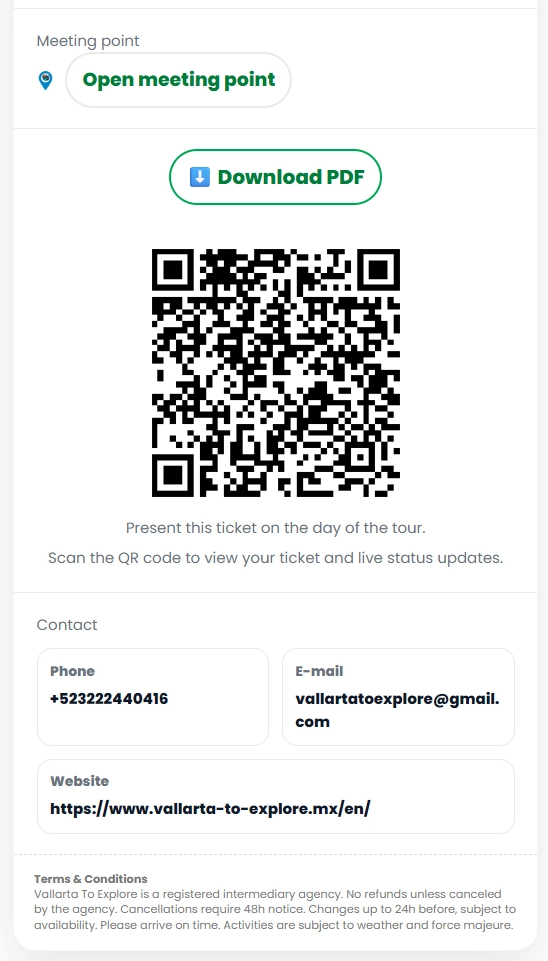
After that, you can
scan/refresh your official ticket to download the updated version
with the
CONFIRMED status.
Here’s what the update process looks like:
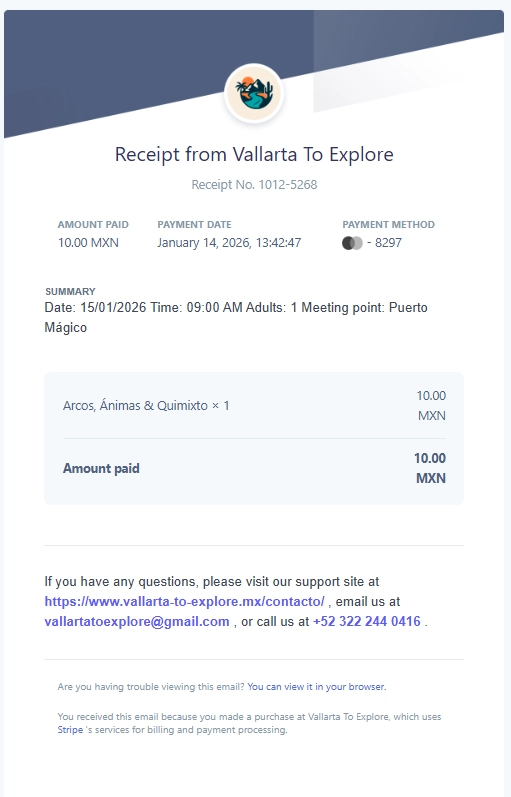
📩 Will I receive an official receipt by email?
Yes ✅ If everything looks good and we approve your request, you’ll receive your
official receipt by email with the amount paid and your full booking details.
This is what your receipt looks like:
❌ I can’t view or download my ticket — what should I do?
No worries 💚
Our system is designed so that right after payment your electronic ticket is generated
automatically, including your personal reference number — without needing to contact support.
If for any reason you can’t view or download your ticket (connection issues, browser, pop-up blockers,
email typo, etc.), please contact us directly and we will send your ticket by email and help you right away.
✔️ Our goal is that you receive your ticket no matter what, fast and hassle-free.
❌ I didn’t receive any email (receipt or details) — what happened?
Most commonly:
• The email address was entered with a typo during checkout
• The message went to Spam or Promotions
Please check those folders first — if you still don’t see it, contact us and we’ll resend it 😊
📆 What if there’s no availability or something needs adjustment?
If there’s any issue or no availability, we will contact you with options:
• Change the date
• Offer an alternative
• Or cancel the charge
All of this at no extra cost and with a 100% refund 💚
⚡ I prefer everything fast, automatic and 100% digital. Is that possible?
Absolutely 😊 Your process can be fully digital:
• Pay online
• Your ticket is generated on the confirmation page
• It gets reviewed and updated to CONFIRMED
And if you ever need help, we’re here for you 💚